
ZIP, 7Z and RAR
Open and extract compressed files in the most common formats and work with their contents from a unified interface.
Manage compressed files from a simple Windows desktop app, with password support and File Explorer integration.
The download opens in a new Google Drive tab.
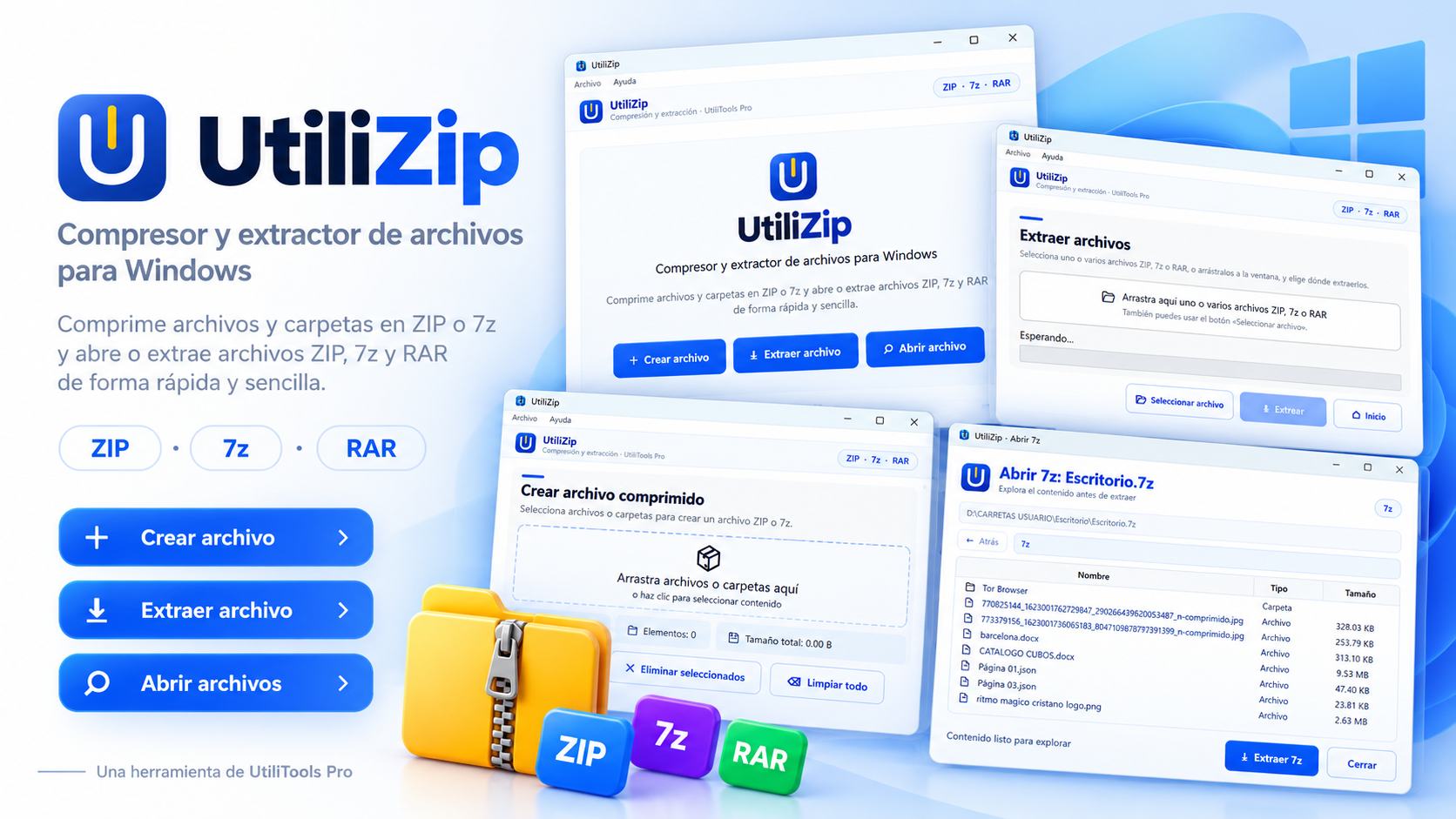
What is UtiliZip
UtiliZip brings common compression and extraction tasks into one app so you can open archives, review their contents, and extract what you need without switching between multiple tools.
The app is designed to fit into the normal Windows workflow and provide quick access from File Explorer, including common operations with ZIP, 7Z, and RAR files.
Key features
Open and extract compressed files in the most common formats and work with their contents from a unified interface.
Work with password-protected archives when the format and archive support it.
Access UtiliZip actions from File Explorer to speed up common compression and extraction tasks.
Open archives, browse their folders, and select the items you want to extract.
Use cases
Open downloaded or received archives and extract only the files you need.
Group documents and folders into compressed files for easier storage or sharing.
Use Windows-integrated actions to open or extract files without having to launch the app first.
How to use it
Press the download button and get the available version from the official UtiliTools Pro link.
Select a ZIP, 7Z, or RAR file to view its contents in UtiliZip.
Choose the files or folders you need and use the available options to complete the operation.
Guide and tips
Compressed files are used to distribute software, send collections of documents, reduce the number of files being shared, and keep complete folders inside a single package.
A dedicated app lets you review contents before extraction, choose specific items, and access different formats from one interface.
UtiliZip aims to simplify that workflow in Windows by keeping the most commonly used opening, extraction, and compression features together.
Frequently asked questions
UtiliZip is designed to work with ZIP, 7Z, and RAR files. Available operations may vary depending on each format's capabilities.
Yes. The app supports working with password-protected archives when the format allows it.
Yes. It includes Windows integration to make common actions easier directly from File Explorer.
The official download is linked from this page and is currently hosted on Google Drive.
You may also like
Release files held by other Windows processes when you need to move, delete, or rename them.
Find large files to quickly identify which items are taking up the most space on your drives.
Review old files in the Downloads folder to find items you no longer need to keep.
UtiliTools Pro Desktop
A focused, portable utility designed to handle its task without unnecessary complexity.